

What is Tradelab Beta?
TradeLab Beta is an innovative system composed of three indicators designed to allow traders to test, create, and validate trading strategies. The system is currently in Beta, meaning it is constantly evolving with new features and regular updates. TradeLab Beta offers a solid foundation for analyzing the quality of trading strategies, enabling traders to optimize their decisions and improve their market performance.
Key Benefits of Tradelab Beta
Complete Customization
Develop unique strategies using any combination of dates and preferred indicators.
Advanced Automation
Automate your trading operations with a system that integrates custom signals and risk management.
Optimized Efficiency
Save valuable time by automating strategies and testing different configurations quickly and easily.


How Tradelab Beta Works
TradeLab Beta consists of three key indicators: Signal Tester, Strategy Builder, and Strategy Tester. Each indicator offers specific features to facilitate the strategy creation and testing process.
Description: Analyze up to 100 historical positions to provide detailed signals on the chart. Allows selecting the date and position type (long/short) to test the effectiveness of existing strategies from signal rooms or other sources.
Key Features:
Position Entry
Easily enter up to 100 positions through settings to test specific signals and evaluate different strategies. We are working on speeding up the entry process.
Results Visualization
Get a clear assessment of the effectiveness of tested positions by linking signals to the Strategy Tester.
Description: Create custom strategies by defining up to six entry conditions and three exit conditions. Allows combining and adapting conditions to design tailored strategies. Facilitates experimentation and optimization of trading rules.
Key Features:
Entry and Exit Conditions
Configure specific conditions for entering and exiting the market, with options to customize trading rules based on your needs.
Quick Test
Test and adapt different combinations of trading conditions to identify the most effective and high-performing strategies.
Description: Use signals generated by Signal Tester and strategies created with Strategy Builder to test and optimize your strategies on chosen symbols and timeframes. Allows comprehensive analysis of strategy performance with historical data.
Key Features:
Comprehensive Testing
Apply strategies to different symbols and timeframes to evaluate their performance in various market conditions.
Results Validation
Analyze and compare results obtained with historical data to refine the strategy and optimize trading decisions.
Risk Management
Configure custom risk management strategies to protect your investments.
Tradelab Beta Details and Settings
TradeLab Beta offers a range of settings allowing traders to customize each indicator according to their specific needs. Here's how the three indicators work:
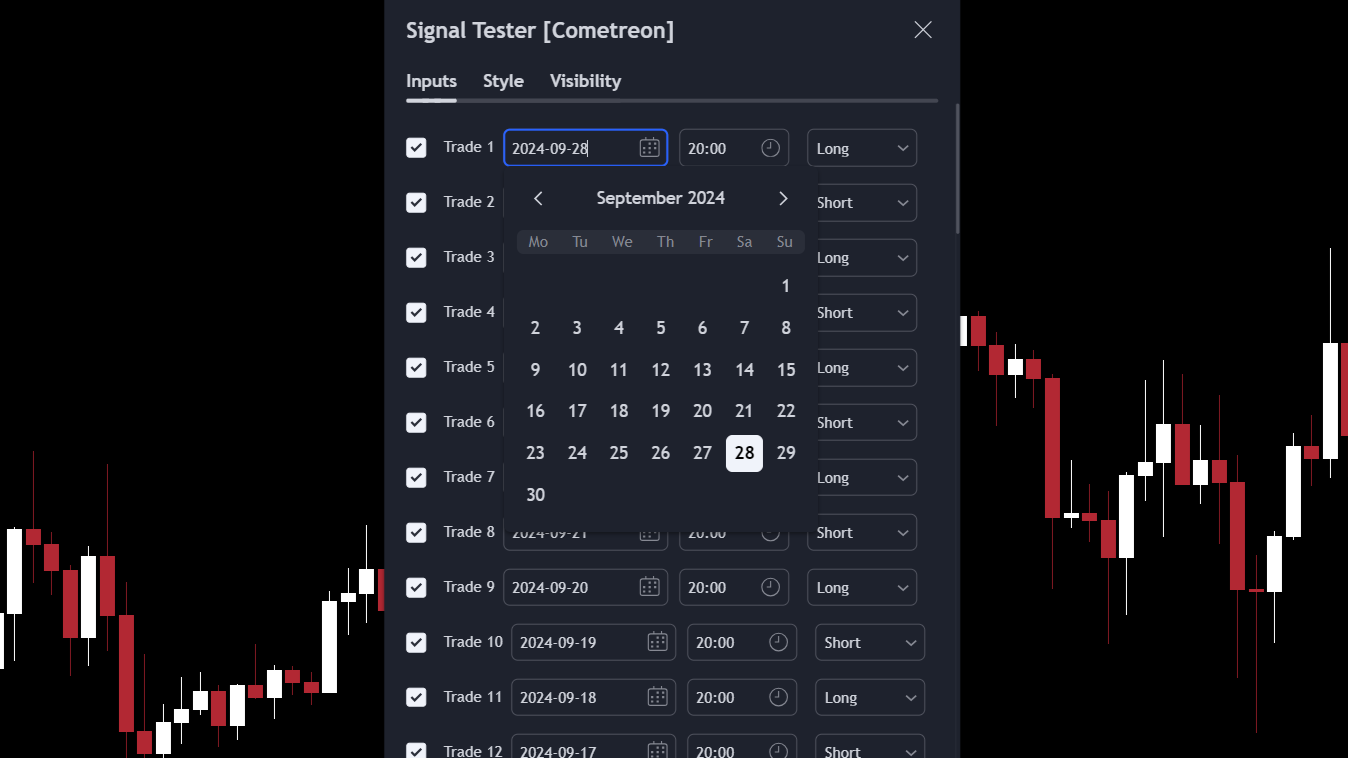
Signal Tester
- • Position SelectionChoose up to 100 recent positions, both long and short, to view signals directly on the chart.
- • Data EntryEasily select in settings: the date and position type (long/short).
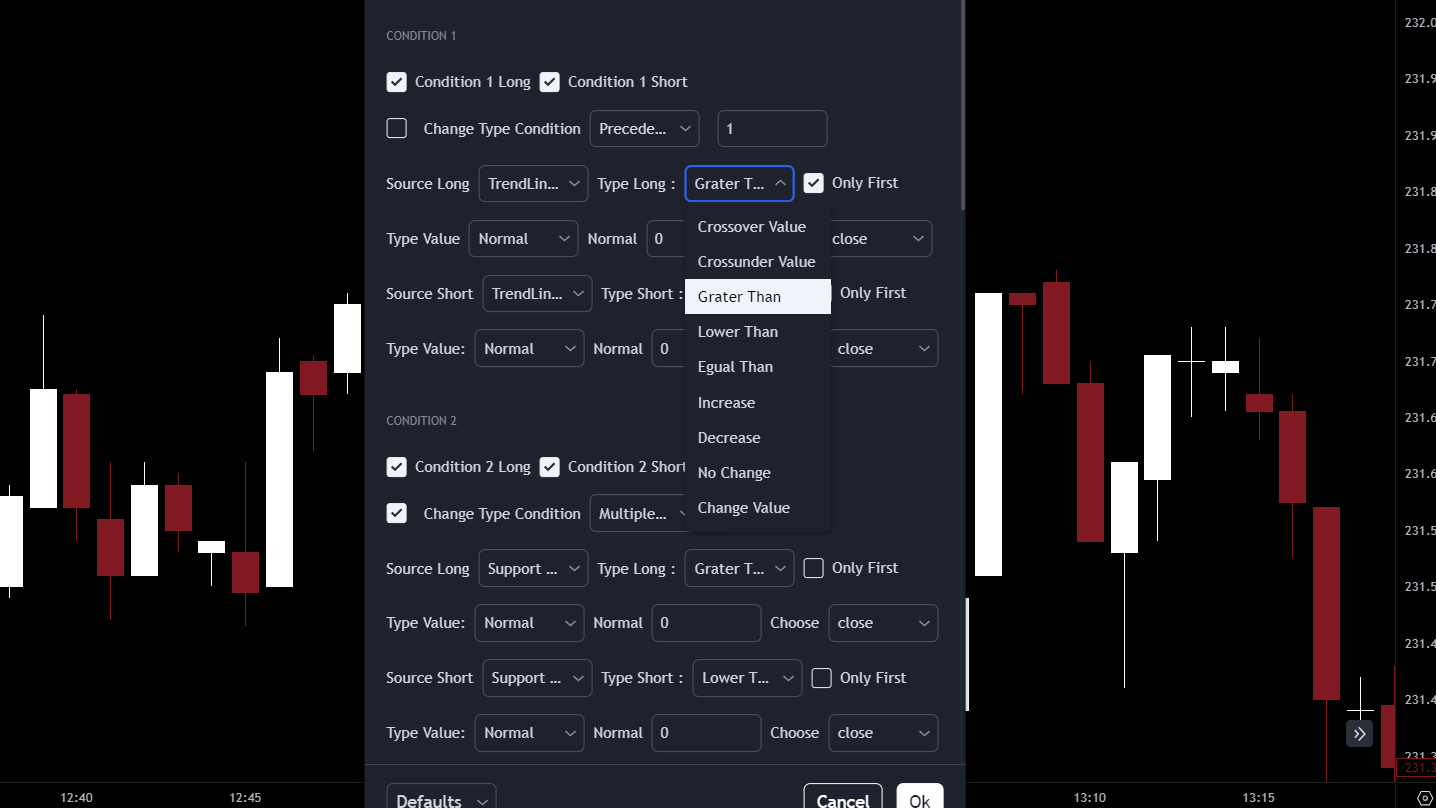
Strategy Builder
- • Creating Entry ConditionsConfigure up to six entry conditions to customize your strategies.
- • Defining ExitsAdd up to three exit conditions to optimize position closing points.
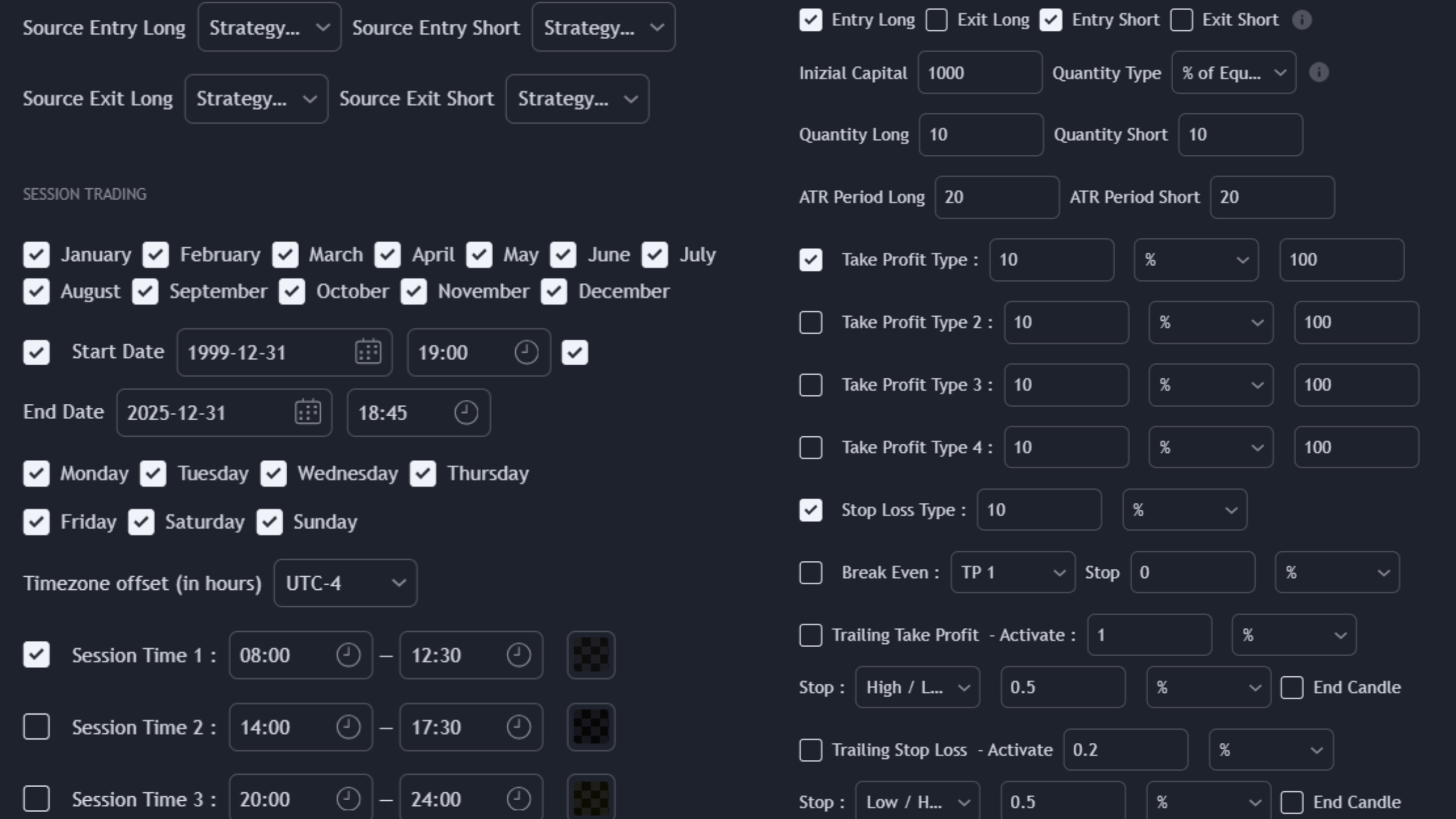
Strategy Tester
- • Using SignalsApply signals generated by Signal Tester and Strategy Builder indicators to build a complete strategy.
- • Trading CalendarChoose the right time to invest by checking: months, days, and up to 3 hourly sessions, to test your strategy more deeply.
- • Risk ManagementTake advantage of a wide choice of risk management options such as: 4 Take Profits, 1 Stop Loss, Break Even, Trailing Take Profit, and Trailing Stop Loss, to optimize results.
How to Use Tradelab Beta
TradeLab Beta is designed to make the strategy creation and testing process more efficient and accessible. Here's how to best use each indicator:
Use the Signal Tester to analyze the performance of past strategies. Choose positions to test and view results directly on the chart.
Tradelab Beta Specific Questions
Absolutely, you can customize strategies using a wide range of customizable indicators and conditions, not only from Cometreon indicators but also on any indicator in the TradingView library that provides a constant value to test and use for generating conditions.